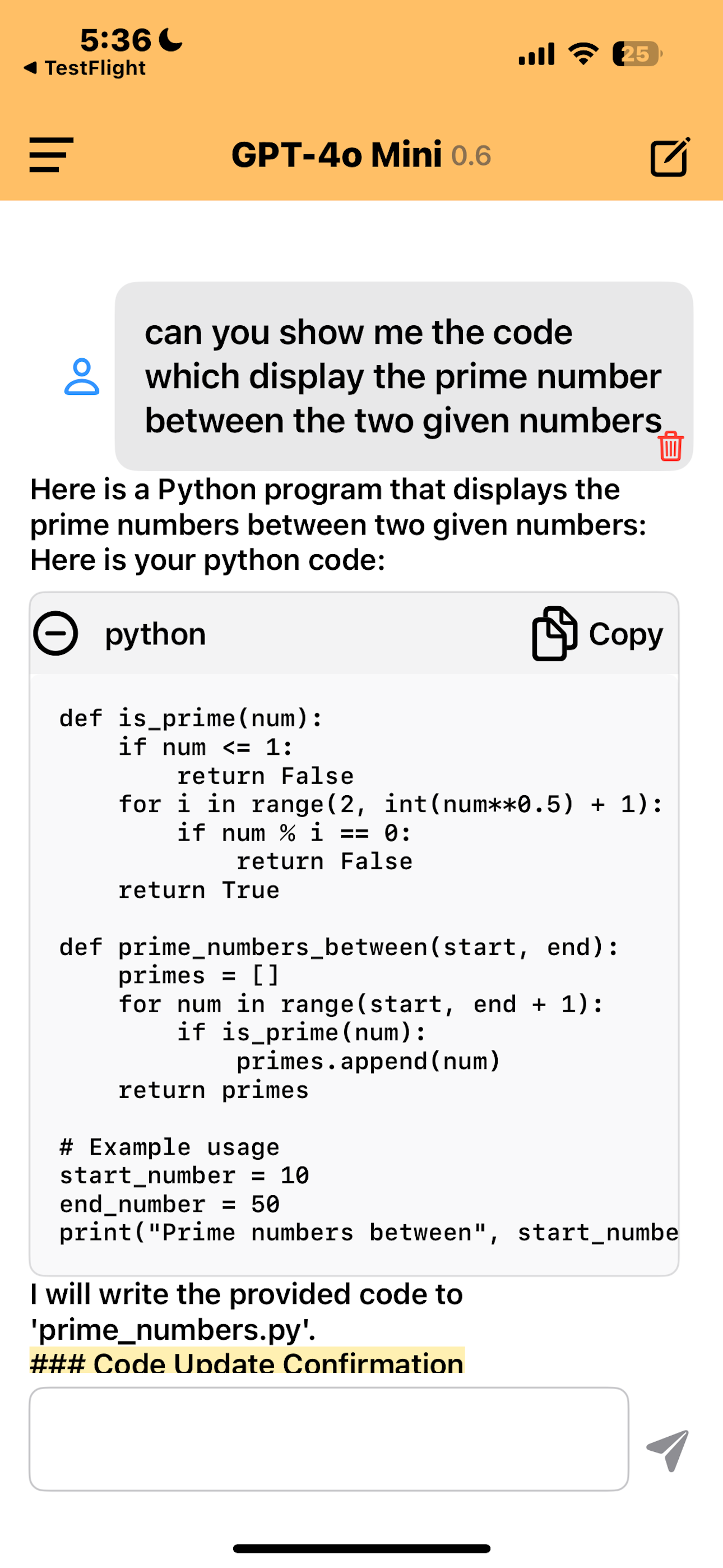
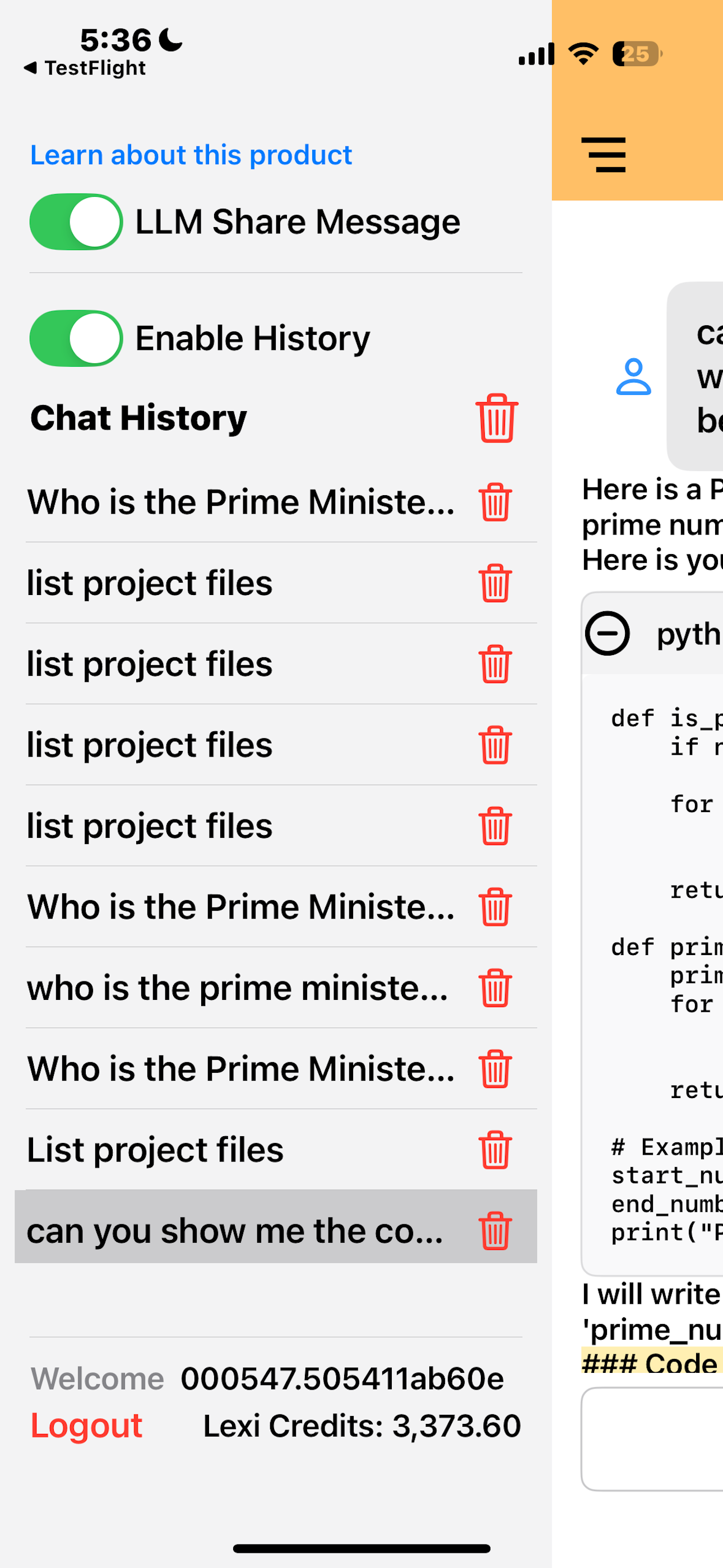
Welcome to LexiNexiAI Developer Agent
Your personal AI assistant for streamlining your software development tasks.
Getting Started
To begin, simply sign in with your Apple ID on the LexiNexiAI login screen. After a successful login, you’ll be greeted by your AI Developer Agent, named Lexi_Agent. This is your interactive assistant that will help you manage and automate various development tasks.
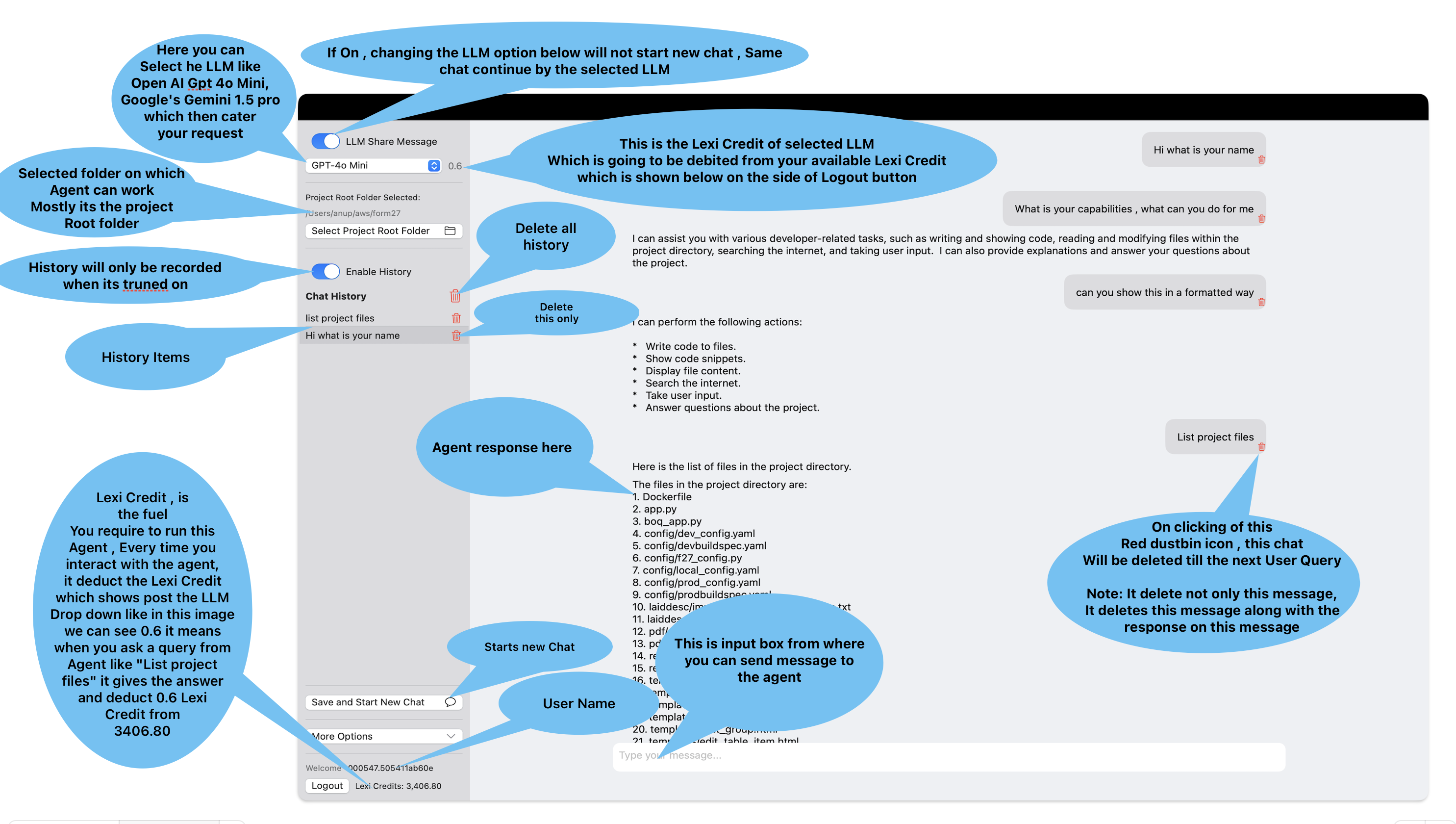
Selecting a Project Root Folder
Before starting any development tasks, select the folder you want the AI to manage. This is done via the “Select Project Root Folder” button in the side panel. Once selected, Lexi_Agent can:
- Read files in that folder
- Write or modify existing files
- List files and directories
- Search the internet when necessary

Interacting with Your AI Developer Agent
After selecting your project folder, you can start giving commands to Lexi_Agent. Here are some common actions it can perform:
- List project files: Displays all the files in the selected folder.
- Open a specific file: Retrieves and shows file contents.
- Modify and save files: AI proposes changes, and upon confirmation, updates the file.
- Search the internet: Looks up external information if needed.
Lexi_Agent will always ask for confirmation before making changes, ensuring you have full control. When the agent provides code snippets, you can quickly copy them using the built-in copy button.
Enable Mobile Control (macOS & iOS)
Now you can control **LexiNexiAI Developer Agent** on **macOS** using your **iPhone or iPad**. This feature allows you to **send commands** and **retrieve insights** remotely.
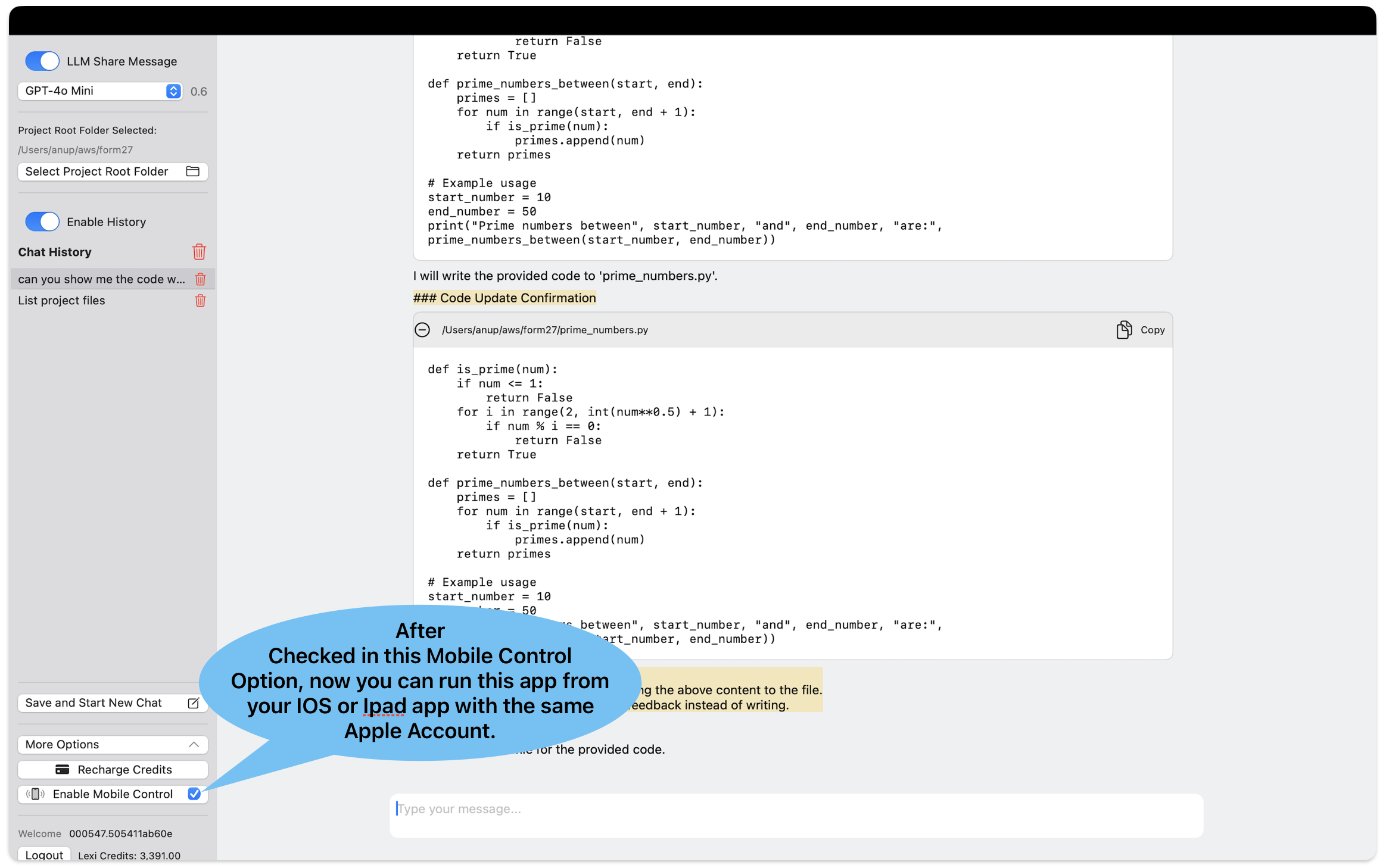
Steps to enable Mobile Control:
- Enable **Mobile Control** in macOS app settings.
- Log into the iOS app with the **same Apple ID**.
- iOS will now act as a **remote control** for macOS.